
You open your phone at 7:12am. A meeting moved, a school pickup conflict appeared, and yesterday's chat about dietary preferences lives in a thread you will never scroll back to. That moment is where assistant and agent stop being interchangeable adjectives. This guide compares the concepts—not a single vendor scorecard—so you can name what you actually need before you connect mail, calendar, or health data to anything.
What You Are Comparing (and Why It Matters)
You are comparing two layers on the same spectrum, not two unrelated product categories. Both use large language models. Both can draft text, summarize mail, and answer questions about your week. The difference is relationship depth: how much the system remembers without being told again, whether it speaks first when your day changes, and whether suggestions turn into calendar moves or sent mail after you confirm.
Industry writing increasingly blurs the terms. IBM's distinction between AI assistants and AI agents is useful here: assistants tend toward reactive help—strong when the user drives each turn—while agents add goal pursuit, tool use, and multi-step plans that can continue without constant prompting. Personal products in 2026 sit on a sliding scale between those poles, which is why buyers feel whiplash when every homepage says "agent."
Why the label fight matters for you: permissions and expectations. A classic AI personal assistant usually asks for less up front—maybe microphone access, maybe read-only calendar—and returns text you copy elsewhere. A personal agent asks for durable memory, connector access, and notification trust. That is a higher bar, and it should earn higher payoff: fewer repeated briefings, fewer dropped threads, fewer "I thought something would handle that" moments.
This article compares concepts, with examples from ecosystem assistants (Siri AI, Copilot, Gemini), cross-platform chat tools, and agent-shaped products like Today. We are not declaring a winner. Wirecutter-style honesty means naming where assistants still win—simplicity, voice control, lower setup—and where agents justify the extra trust. For the canonical agent definition (memory + proactive + confirm-before-execute), start with the memory-initiative-execution definition. Once you know you need agent behavior—not just a better assistant—read Cowork vs personal agent to separate whole-day continuity from Cowork-style deliverable factories.
Quick Comparison Table
| Dimension | AI personal assistant (classic) | AI personal agent |
|---|---|---|
| Primary trigger | Your prompt or configured reminder | Day state + memory + your prompt |
| Memory | Session, thread, or light profile | Durable, inspectable life memory |
| Initiative | Reactive; optional alerts you set | Proactive when meaningful change occurs |
| Execution | Text output; sometimes single-app actions | Cross-app actions with confirm gate |
| Setup cost | Low—often works out of the box | Higher—memory + connectors + notification trust |
| Best fit | Quick tasks, one ecosystem, minimal data sharing | Multi-app weeks, long arcs, repeated coordination |
| Risk profile | Lower access; you do more manual follow-through | Higher access; needs confirm-before-send and audit tools |
| Example patterns | "Summarize this email," "Set a timer," voice queries | Morning brief, stale promise surfacing, reschedule drafts |
The table is a compass, not a spec sheet. Apple's Siri AI is marketed as a personal assistant while adding personal context retrieval across messages, mail, and photos—agent traits arriving inside an assistant brand. Microsoft Scout describes an always-on personal agent tied to M365. The product map is converging; your evaluation should use behavior, not packaging.
AI Personal Assistant — Strengths and Limits
An AI personal assistant shines when you want help on demand without building a relationship with the software. That is not an insult—it is the design center for billions of daily interactions. You ask, it answers. You close the tab or lock the phone, and the transaction is complete. For many people, that simplicity is exactly the point.
Strengths Worth Taking Seriously
Most assistants reward you on day one without asking you to curate a memory panel or connect five apps before the first useful answer. You install, sign in, and get value from the first question—summarize a PDF, rewrite a paragraph, check a fact. For intermittent knowledge work, that speed matters more than continuity, and it keeps the cognitive overhead near zero.
When your life already runs inside one vendor stack, ecosystem-bound assistants can feel native in ways a cross-platform agent never will. Apple positions Siri AI as a profoundly more capable personal assistant grounded in on-device context—messages, mail, photos—without asking you to manage a separate memory product. Google Gemini and Microsoft Copilot offer parallel advantages inside Workspace and Windows respectively. Voice invocation, system settings, smart home control, and hands-free timing remain strengths assistants optimized for years, and they still win in the car, kitchen, or hallway when typing is awkward. A personal agent's day-first dashboard is powerful at a desk; a voice assistant is powerful when your hands are full.
There is also a safety story in restraint. Reactive tools rarely surprise you with an unsolicited draft email because you asked and got text—that is the whole contract. For users who want minimal autonomous behavior, that predictability is a feature. And if the assistant never writes back to calendar or mail, sensitive environments and strict IT policies often favor assistant patterns for exactly that reason.
Limits That Show Up After a Week of Real Use
The continuity gap shows up fast once your week gets messy. Thread memory helps within a conversation, but Monday's planning chat does not reliably shape Thursday's scheduling unless you repeat yourself or the product maintains a separate profile you actively manage. Users describe this as "re-briefing the blank box"—not a model IQ problem, a continuity problem. Even smart assistants center an empty input rather than opening on "here is what changed since you last looked," unless you build reminders or open a dedicated briefing feature—and those briefings are often generic, not tied to inspectable memory rows you can edit.
Execution depth is the other ceiling. Drafting is not doing. An assistant can write a reschedule email; you still copy, paste, find the thread, and send. Multi-step outcomes—find gap, move hold, attach doc, update stakeholder—require agent tooling or manual glue. Meanwhile vendors reuse "agent" for features that are still reactive chat with plugins, so without a behavioral framework you discover the gap only after connecting data.
When an AI personal assistant is the better choice: you need fast answers, you live comfortably inside one ecosystem, you prefer voice-first or minimal notifications, your tasks are mostly single-shot, or you are not ready to grant cross-app write access. Students, occasional researchers, and anyone treating AI as a calculator for language should default here.
AI Personal Agent — Strengths and Limits
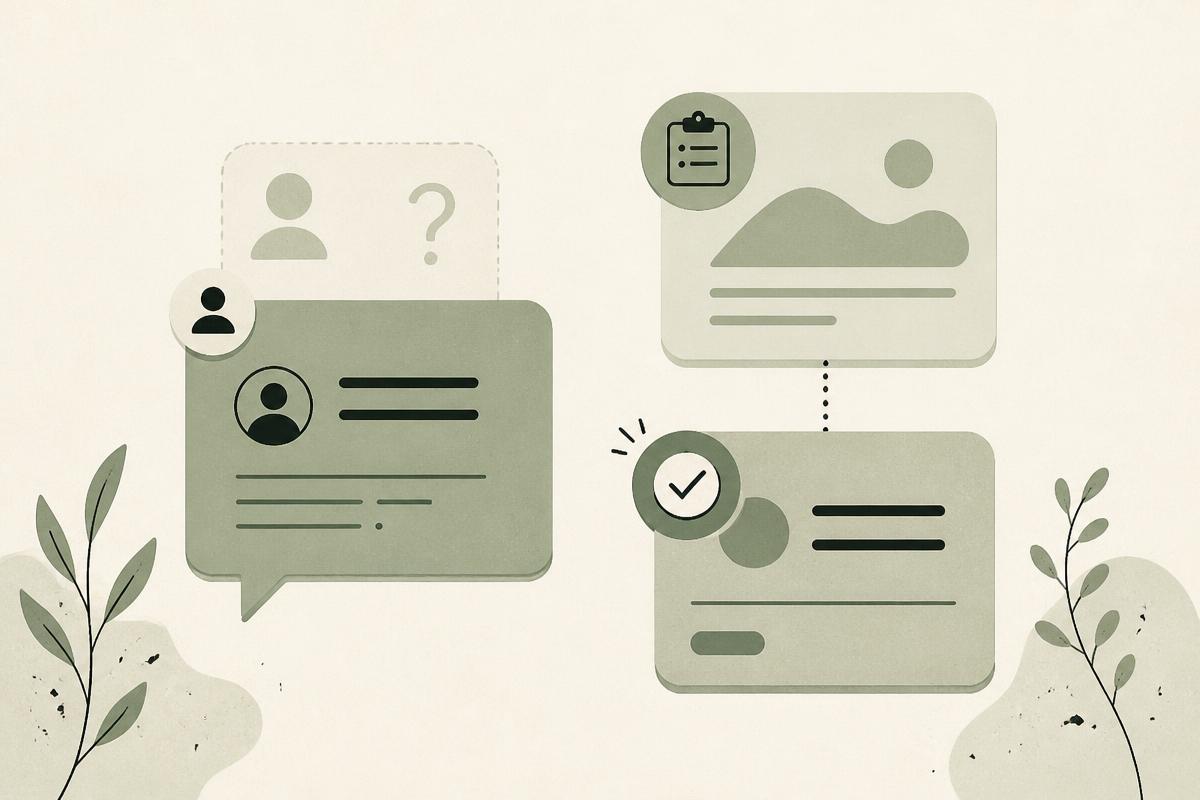
An AI personal agent is personal AI built for continuity across days and apps—not a rebranded chat window. It combines durable user-controlled memory, initiative when your life changes, and execution across connected tools with a confirm gate before external actions—the same three-part definition referenced above.
Strengths That Justify Extra Trust
Facts about people, projects, preferences, and promises live in inspectable rows—not buried in chat scroll. When memory is legible, you can correct a wrong belief once instead of fighting the same bad suggestion for a month. That durable layer powers a day-first experience: credible agents open on schedule change, stale commitments, and decisions that still have time windows—not on a blinking cursor waiting for you to reconstruct context. The shift reduces cognitive load for people whose work spans mail, calendar, notes, and messaging.
According to the same IBM framing, agentic systems pursue goals across steps rather than waiting for the next isolated prompt. In personal software, proactivity should be restrained: capped briefs, collapsible detail, no pings for changes you cannot act on. Done well, it feels like a thoughtful human mention—not notification spam. Connectors then turn "you should reschedule" into a draft, a proposed calendar move, and an updated memory row—paused until you confirm. That is the difference between advice and logistics handled. Founders, caregivers, freelancers, and anyone juggling multiple roles benefit when software remembers Friday's promise, Tuesday's run schedule, and Maya's dietary preference without a weekly re-download of your life story.
Limits and Honest Tradeoffs
Agents reward staged rollout: connect calendar before mail, verify memory rows before enabling proactive briefs. Jumping to full access on day one produces noisy suggestions and erodes trust fast, and weak products treat proactivity as engagement metrics—more pings, more "activity"—until users mute them within a week. Agent value compounds only when the first screen of the day is reliably right.
The privacy surface is larger by design. Durable memory plus connectors means more data at rest and in motion. You should read policies, revoke connectors individually, and prefer products with published handling for health and mail data. Many agent claims also outrun shipping behavior in 2026: features change, connector coverage expands, confirm flows differ by platform. Today is available now and currently free—honest about what is still moving.
When an AI personal agent is the better choice: your context spans weeks and apps, you repeat the same briefing to AI daily, dropped threads and stale promises cost you real time, you want confirm-gated execution—not just drafts—and you will invest a few days tuning memory and connectors for compounding returns.
Side-by-Side on Memory, Proactivity, and Execution
Memory, proactivity, and execution are the three axes we use internally—and the clearest way to compare assistant vs agent claims without marketing noise. If a product is weak on all three, you have a chatbot. Strong on one only produces familiar half-solutions: a journal with no hands, a macro with no context, or a notification feed with no finish line.
On memory, assistants default to thread history and light profiles. Session continuity helps until you need to audit why a suggestion misfired—then conversational preference storage feels opaque. Agents treat memory as infrastructure—closer to contacts than chat logs—with structured, editable rows you can read, delete, and carry across devices. Today's living memory follows that model: people, projects, preferences as rows you govern. Ecosystem assistants are moving toward retrieval over personal corpora—Siri AI searching mail and photos is a memory story told through search, not always through editable facts. That can be enough if you never leave Apple's world; it is brittle when your work lives in Slack, Notion, and Gmail simultaneously. The failure modes differ too: assistants make you repeat yourself; agents make you fix a wrong row once in a panel.
On proactivity, the default stance splits cleanly. Classic assistants wait for your prompt and only proactive if you configure them—leave-time alerts, recurring reminders, shortcut automations. Personal agents monitor meaningful change—calendar shifts, mail weight, health signals tied to memory—and try to infer what a good human assistant would mention without building a rules engine for every edge case. The UX pattern shifts from "notification when condition met" to "brief plus collapsed detail." The cost is trust: one bad unsolicited ping hurts more than one missed reminder. Products like Today anchor proactivity at morning and evening with strict caps—see proactive help on the landing page—because false positives erode faster than false negatives.
On execution, assistants cluster toward text output you copy elsewhere, sometimes single-app actions, with you as the final sender every time. Agents aim at drafts plus in-app changes across calendar, mail, and notes, with confirm-before-send on external actions as the safety model. Microsoft Scout illustrates the execution ambition in enterprise personal software: an always-on agent that coordinates meetings and tracks deliverables inside M365. Consumer agents like Today pursue a similar finish line with a confirm gate—execution should never become silent autonomy on your calendar or mail. The familiar assistant failure mode is advice you never act on; the agent failure mode is over-promising actions without connectors.
Synthesis: assistants cluster toward light memory, reactive stance, and text-first output. Agents push toward durable memory, day-tied initiative, and connector-backed finish lines. Hybrid products exist in every cell—judge where your pain lives rather than where the marketing badge points.
When to Choose Each Option
Choose an AI personal assistant when simplicity, voice, or ecosystem lock-in beats continuity. If your week is predictable, your tools sit mostly inside one platform, and you use AI episodically, paying the agent setup tax returns little. Siri AI, Gemini, Copilot, or a plain chat assistant is the rational default—especially on shared devices or strict work policies where write connectors are forbidden. Students, occasional researchers, and anyone who treats AI as a calculator for language fit here without apology.
Choose an AI personal agent when re-briefing costs you more than onboarding. Multi-app scheduling chaos, promises buried in old threads, health or energy signals that should reshape your plan, recurring coordination with the same people, and frustration that AI "forgets" what you said last Tuesday are weekly signals—not edge cases. If those show up regularly, you need memory and execution—not another longer chat thread. Plan to invest a few days tuning connectors and memory rows; agents fail when treated like magic chatbots with extra notifications.
Hybrid paths are normal. Many people keep a fast assistant for ad hoc questions and adopt an agent for the slice of life that leaks context—calendar plus mail plus notes, or health-aware planning. You do not owe one product your entire digital life on day one, and running both is a successful outcome when each tool stays in its lane.
When evaluating any label—assistant or agent—walk through the behavioral checklist in prose rather than trusting the homepage verb. Can you read and delete memory—not just chat history? Does the product open on your day or on an empty prompt? Are proactive messages capped and collapsible? Does it confirm before external sends? Are connectors optional and revocable? Is there a published privacy policy for sensitive data? Two or more negative answers suggest assistant-grade behavior regardless of packaging.
Today as one agent implementation—not the whole category. Today targets whole-day personal scope: living memory, proactive briefs, connector-backed actions with confirmation, free on Mac, iOS, and Android. It is built for people whose pain matches the agent column above. If your needs are narrower, a classic assistant may serve you better—and that is a successful outcome, not a compromise. For founder intent behind the product, read why we built Today.
Conclusion
AI personal assistant vs AI personal agent is not about which label sounds newer—it is about whether you need continuity, initiative, and finish-line execution enough to grant deeper access. Assistants remain the right default for quick, low-setup help inside an ecosystem you already trust. Agents earn their place when your week is too fragmented to re-explain every morning and when drafts alone do not close loops.
Use memory, proactivity, and execution as your scorecard. Be skeptical of "agent" badges on prompt-first chat. Be equally honest about whether you will tune memory and connectors—agents fail when treated like magic chatbots with extra notifications.
If the agent column matches your life and you want to explore one implementation, read the product walkthrough linked above or get started today.