


Today capabilities

One personal agent that understands context and moves work forward.

Today brings memory, proactive help and task execution together—so you can research, organize and act without starting from zero every time.

TODAY

Living Memory

Keeps relevant people, preferences, projects and goals in context across conversations.

Proactive Help

Uses time, context and authorized information to surface a useful next step.

Task Execution

Plans multi-step work, uses available tools and returns a result you can inspect.

Example

Return to a long-running project and ask for the next step without explaining the entire history again.

Living Memory

An assistant that doesn’t start from zero.

Today can carry relevant context from one conversation to the next, making recurring projects and everyday decisions easier to continue.

  • Remember relevant preferences, people and projects
  • Use personal context in answers, plans and briefs
  • Let you correct or remove supported memory

Memory does not mean every input is saved forever. Available controls depend on the current product experience.

Example

Start the day with the meetings, follow-ups and priorities that deserve attention now.

Proactive Help

Useful help before everything becomes urgent.

Today can combine time, memory and authorized signals to bring forward a brief, reminder or suggested next step.

  • Personal briefs built from relevant context
  • Suggestions tied to your day and ongoing goals
  • Confirmation when an external action needs your approval

Generating a suggestion and delivering a notification are separate steps; availability varies by account and setup.

Example

Research a topic, organize the findings and prepare a reusable deliverable instead of only suggesting how to do it.

Task Execution

From a request to a result you can inspect.

Today can break work into steps, use the tools available to it and report back with a result, draft or action that needs confirmation.

  • Plan and carry out multi-step tasks
  • Use search, files, code or connected tools
  • Show whether work is drafted, awaiting approval or complete

External actions and sensitive changes may require confirmation and are not universally reversible.

Information & connections

Find what matters, then bring it into real work.

Research & Information

Find, understand and organize what matters.

Bring together public information and the material you provide, then turn it into a clear result you can continue using.

  • Search the web and read supported pages
  • Work with files, images and links
  • Combine sources into summaries, plans and structured outputs

Example

Compare options across several sources and leave with a concise recommendation plus the evidence behind it.

Source visibility depends on the tool and workflow. Important conclusions should still be reviewed.
Connected Apps

Bring scattered context into one place.

With your authorization, Today can find relevant context in supported mail, calendar, file and task services—and perform supported actions where available.

  • Read supported information you authorize
  • Connect context across apps and tasks
  • Create or update content where the connector allows

Example

Use the details in an email and calendar event to prepare a follow-up and the next task.

Explore all integrations

Read, write and confirmation rules differ by connector, region and account.

Automations & Background Tasks

Keep work moving after you leave the conversation.

Schedule supported work, repeat useful workflows and let eligible cloud tasks continue without keeping the chat open.

Example

Create a recurring research brief and let Today prepare each edition on schedule.

From schedule to delivery

1Run supported one-time and recurring tasks
2Continue eligible work in the cloud
3Return a result or ask for input when needed

Tasks that depend on local device access may still require the device, permission or another user step.

Voice, Files & Everyday Input

Start with whatever is easiest to share.

Use supported text, voice, images, files or links to give Today the information and intent it needs.

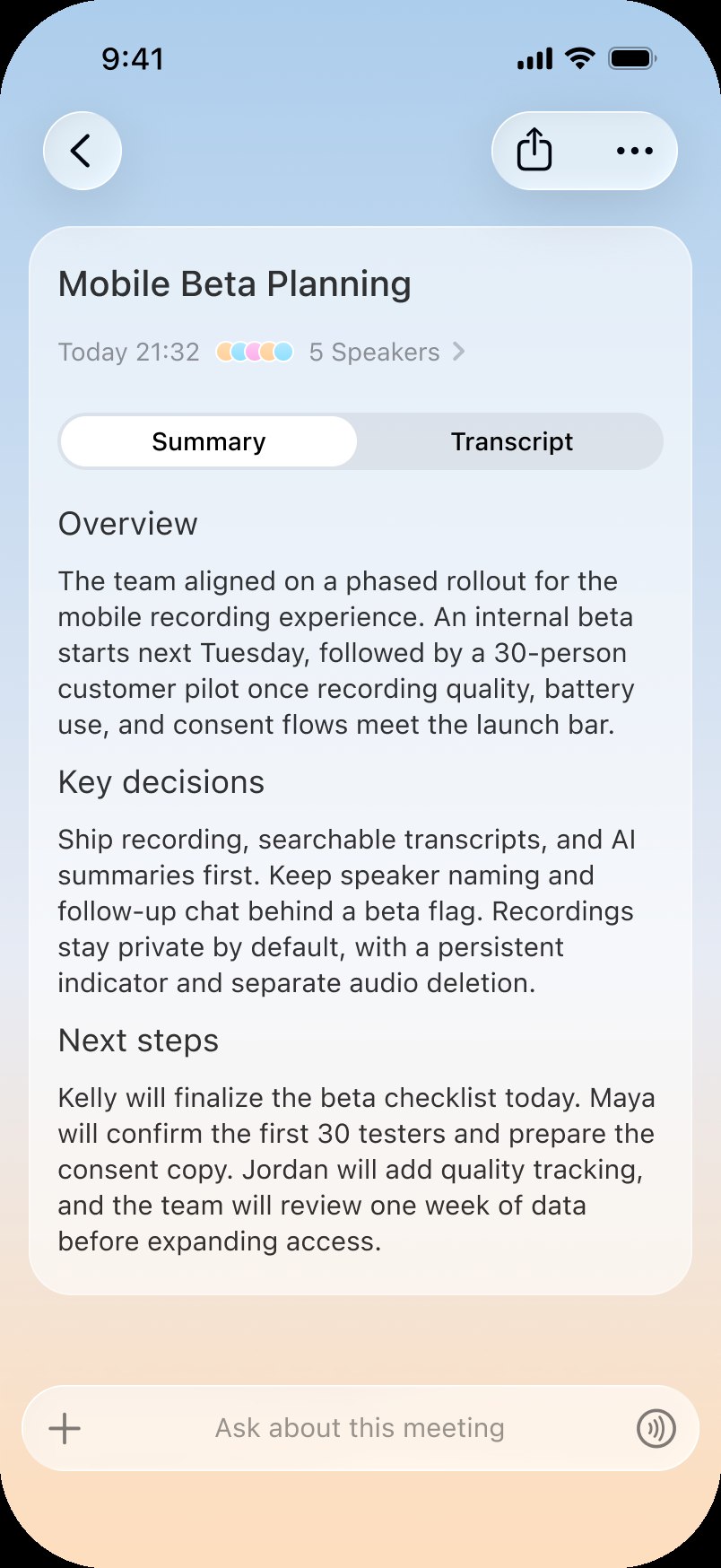
1Turn voice notes into transcripts and summaries
2Ask follow-up questions about captured material
3Export or continue working with supported results

Input formats and recording experiences vary across clients.

Built around your choices.

Today’s capabilities work within the access, controls and product surfaces available to you.

You choose what to connect

Connected information is limited by the access you grant.

Actions can require confirmation

Sensitive or external changes may pause for your approval.

Memory can be managed

Supported memory can be reviewed, corrected or removed.

Availability can differ

Device, region, channel, account and permissions can affect a capability.

Questions about Today’s capabilities

Does Today remember everything I share?

No. Today can retain and use supported personal context, but that does not mean every input is permanently stored. Memory behavior and controls depend on the current product experience.

Can Today take action without asking me?

Some pre-authorized or scheduled work can run automatically. Sensitive or external actions may require confirmation, depending on the tool and workflow.

Which apps can Today connect to?

Today supports a growing set of mail, calendar, file, messaging and productivity services. The Integrations directory shows the broader catalog; exact read and write access differs by connector.

Can a task continue when my device is offline?

Eligible cloud tasks can continue without an open conversation. Work that depends on a local device, local file or device permission may still require that device.

Are all capabilities available on every device?

Not always. Availability may vary by device, region, distribution channel, account, feature rollout and required permission.

Give Today Something Real to Move Forward.

Bring the context, choose the tools and let Today turn your next request into a result you can inspect.

Get started